Most of the time when I start researching something, it’s because I saw it in a recent attack, blog post, or conference talk.
This time, it wasn’t the case.
I found myself asking questions about the connection between GitHub and Azure, and the only connection I could immediately think of was federated authentication.
So I decided to configure it on my own application, play with it, and see what I could learn.
I actually have no idea how common this feature is in real organizations (if you’ve seen it in the wild, let me know!), but if you’ve ever wondered how GitHub federation actually works behind the scenes, or whether there are interesting ways to abuse it, feel free to keep reading. 🙂
Some basics – Federated Credentials
As you probably know, Entra applications can authenticate using more than just client secrets or certificates.
Another option is configuring a Federated Identity Credential, which tells Azure to trust JWTs issued by an external identity provider.
Dirk-jan wrote about this before, showing how managed identity credentials could be used by configuring your own OIDC provider for federated authentication.
https://dirkjanm.io/persisting-with-federated-credentials-entra-apps-managed-identities
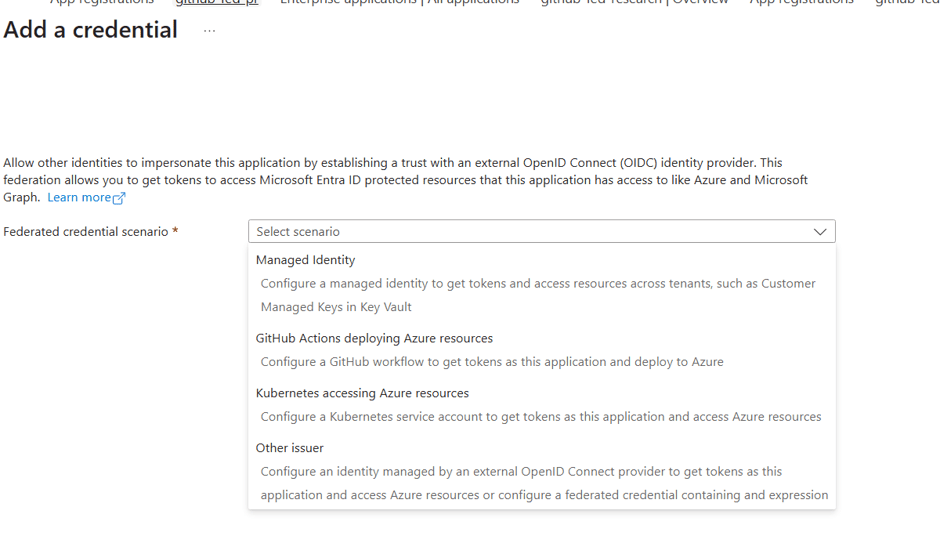
In my case, I chose GitHub Actions.
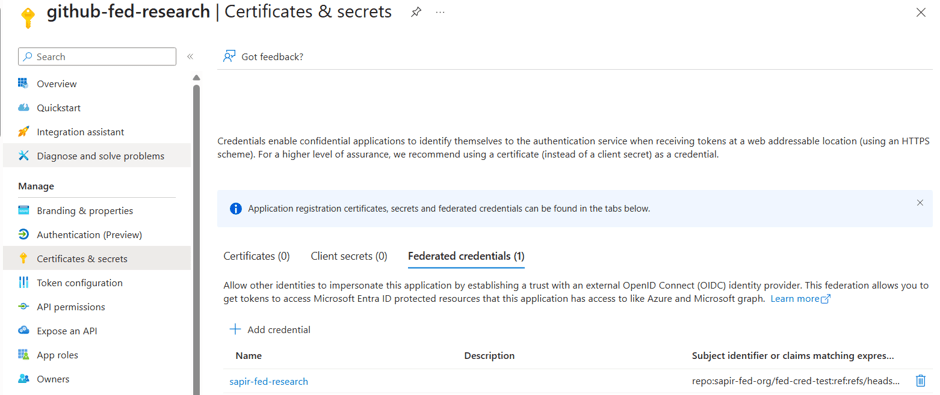
The configuration is pretty simple.
The issuer is fixed to:
https://token.actions.githubusercontent.com
Then we configure:
- Organization
- Repository
- Entity Type (Branch, Pull Request, Environment…)
- Audience
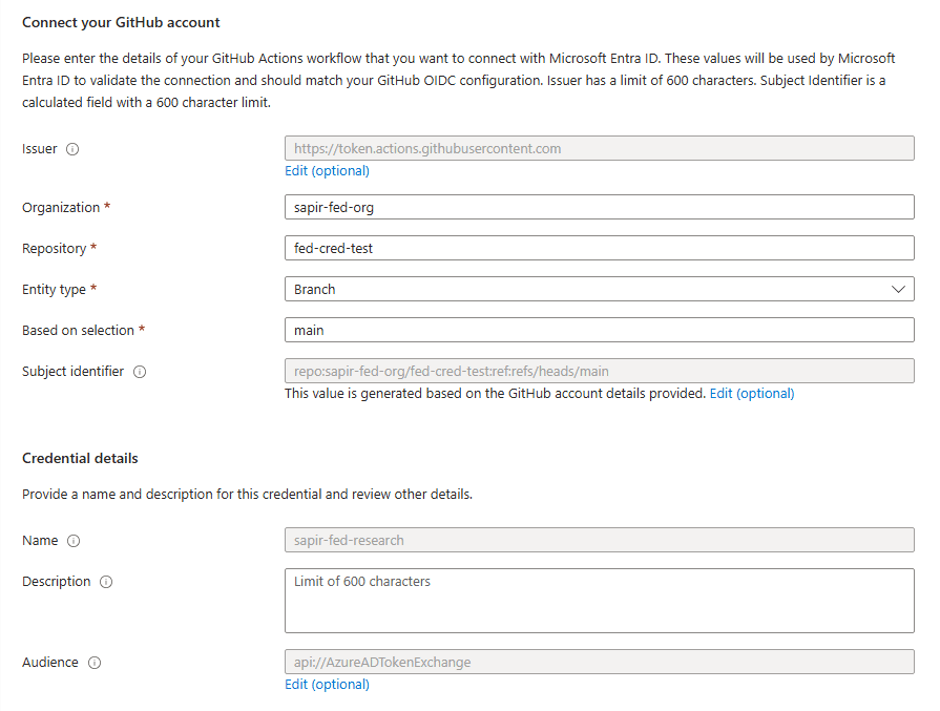
My first thought was whether someone could configure a wildcard (*) and accidentally trust every repository.
Good news, Azure doesn’t allow that.
The subject has to match exactly.
The final value appears under Subject Identifier, and in my case looked like:
repo:sapir-fed-org/fed-cred-test:ref:refs/heads/main
At this point, we’re basically telling Azure:
Trust JWTs issued by GitHub only if:
- the issuer is GitHub
- the repository matches
- the configured subject matches exactly
Now I wanted to see what actually happens during authentication.
Test #1
I created an organization and repository with the same names I configured in Entra, then created a simple GitHub Actions workflow that authenticates as my application.
- You can find all the workflows here
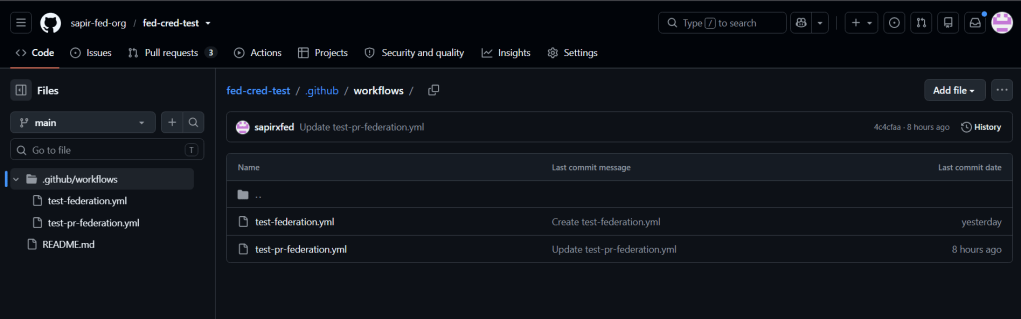
First, I configured my Application ID and Tenant ID as repository secrets.
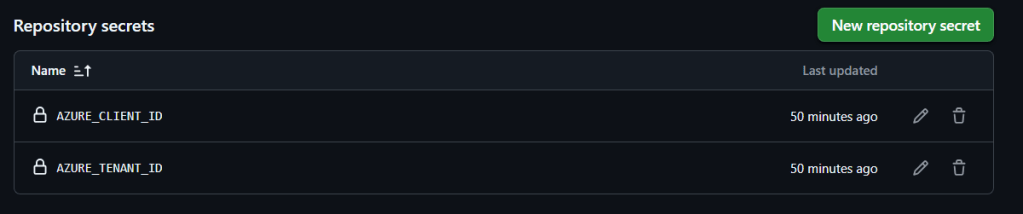
One nice thing about this flow is that we don’t need to store any client secret in GitHub.
Instead, GitHub obtains an OIDC token and Azure exchanges it for an access token.
The workflow starts by requesting permission to obtain an identity token:
permissions: id-token: write
This permission causes GitHub to automatically populate two environment variables:
ACTIONS_ID_TOKEN_REQUEST_URLACTIONS_ID_TOKEN_REQUEST_TOKEN
The first contains the endpoint for requesting an OIDC token.
The second is a token proving the request is actually coming from GitHub.
Now we can request our GitHub JWT from our workflow:
TOKEN=$(curl -s \-H "Authorization: bearer $ACTIONS_ID_TOKEN_REQUEST_TOKEN" \"${ACTIONS_ID_TOKEN_REQUEST_URL}&audience=api://AzureADTokenExchange" \| jq -r '.value')
And we have our first JWT!
These are some of the interesting claims:
=== Key Claims ===iss (issuer): https://token.actions.githubusercontent.comrepo:sapir-fed-org/fed-cred-test:ref:refs/heads/mainaud (audience): api://AzureADTokenExchangerepository: sapir-fed-org/fed-cred-testrepository_owner: sapir-fed-orgrepository_owner_id: 299557493repository_id: 1288362498repository_visibility: privateactor: sapirxfedref: refs/heads/mainworkflow: Test Federation with Graph APIworkflow_ref: sapir-fed-org/fed-cred-test/.github/workflows/test-federation.yml@refs/heads/mainevent_name: workflow_dispatchenvironment: nullrunner_environment: github-hostedrun_id: 28666800774exp (expires): 1783089194iat (issued at): 1783088894
Most of the fields are pretty self explanatory.
One thing that caught my attention was repository_owner_id.
I assume this is GitHub’s immutable identifier for the organization, while the Entra configuration only asks us for the organization name.
That made me wonder whether Azure only validates the name, or whether GitHub somehow uses this internal identifier during validation.
Another interesting observation is that we can already see the values Azure is going to validate:
- issuer
- audience
- subject
So the next step is seeing whether Azure actually accepts this JWT.
Like every signed JWT, this one contains a signature generated using GitHub’s private RSA key.
Anyone can verify it using GitHub’s public keys published here:
https://token.actions.githubusercontent.com/.well-known/jwks
Out of curiosity, I searched for the key used to sign my token.
It was indeed there. 🙂

Now it’s time to exchange the GitHub JWT for an Azure access token.
The request looks very similar to a normal client credentials flow.
The biggest difference is that instead of sending a client secret, we send GitHub’s JWT as the client assertion.
RESPONSE=$(curl -s -w "\n%{http_code}" \ -X POST \ -H "Content-Type: application/x-www-form-urlencoded" \ -d "grant_type=client_credentials&client_id=$AZURE_CLIENT_ID&client_assertion_type=urn:ietf:params:oauth:client-assertion-type:jwt-bearer&client_assertion=$GH_TOKEN&scope=https://graph.microsoft.com/.default" \ "https://login.microsoftonline.com/$AZURE_TENANT_ID/oauth2/v2.0/token")
And it worked.
"aud": "https://graph.microsoft.com","iss": "https://sts.windows.net/***/","iat": 1783088594,"nbf": 1783088594,"exp": 1783092494,"acrs": ["pfdr"],"aio": "ASQA2/8cAAAAIe+mYmbbCsEeDezXyfCGTXvxE2rouRu5U3DmB4XeVfw=","app_displayname": "github-fed-research","appid": "***","appidacr": "2","idp": "https://sts.windows.net/***/","idtyp": "app","oid": "1c1be3b0-1f5a-4dd5-89d2-f3c76375bb89","rh": "1.AXoA0KRxiMrm_kmOOwpdoUDooQMAAAAAAAAAwAAAAAAAAAAAAAB6AA.","roles": ["User.ReadWrite.All"],"sub": "1c1be3b0-1f5a-4dd5-89d2-f3c76375bb89","tenant_region_scope": "EU","tid": "***","uti": "ul8dzHmkQketVJ8kOlgQAA","ver": "1.0","wids": ["0997a1d0-0d1d-4acb-b408-d5ca73121e90"],"xms_acd": 1783088274,"xms_act_fct": "9 3","xms_ftd": "XHEBiCu5v-xwAmS8uKpmFWw3QPEzAu4wQOxogXTxFz8BZnJhbmNlYy1kc21z","xms_idrel": "7 2","xms_pftexp": 1783178894,"xms_rd": "0.42LlYBJirBIS4eAUEgjxvpZbGM_hOos9bFLN_RXzhUQ4OIQEmBkg4ACUFhLh4BYSmLQmY87_ziiDO6al1yfbiP-V4uPgEuIyNLcwNrCwsLA0AQA","xms_sub_fct": "3 9","xms_tcdt": 1782583979,"xms_tnt_fct": "3 4"
I was curious whether I’d see anything GitHub-specific in the Azure access token, like the repository or organization.
I actually didn’t.
The only claim that was new to me was:
acrs = pfdr
My guess is that pfdr refers to federated credentials.
Now that I understood the authentication flow end-to-end, I started asking some questions.
Q1 – How does this appear in sign-in logs?
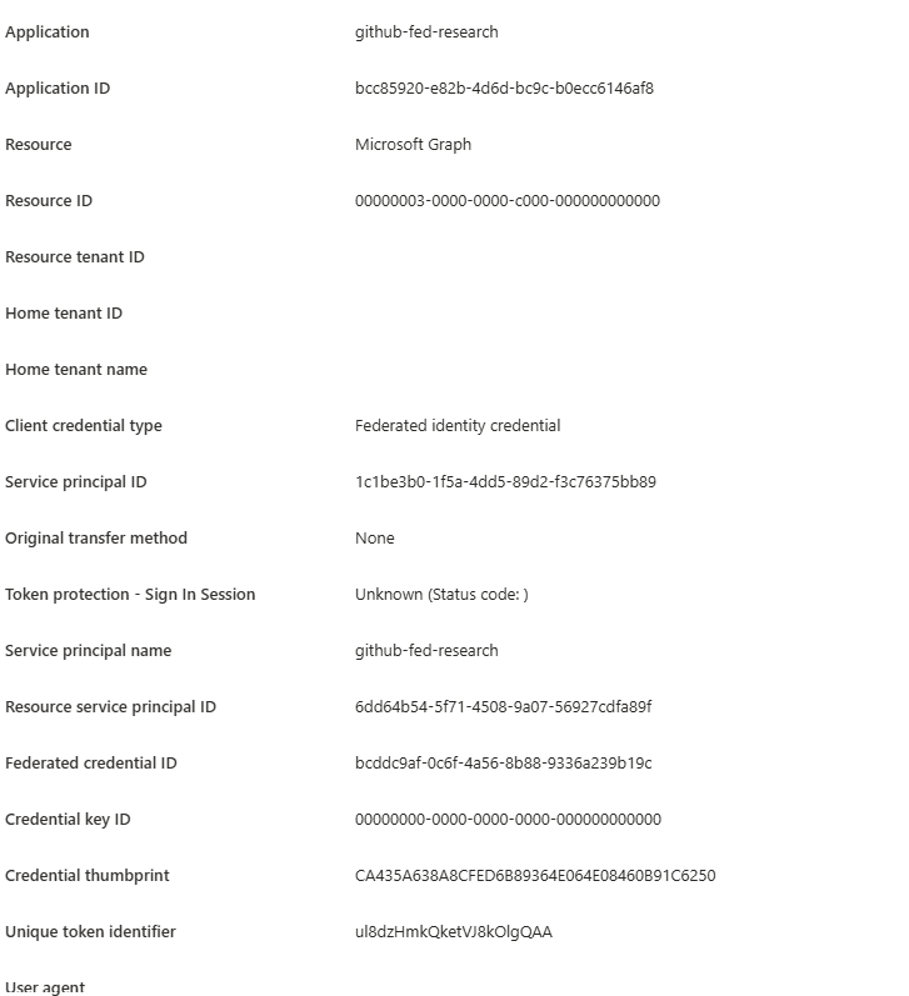
Identifying that federated credentials were used is straightforward because the Client Credential Type is displayed.
What I couldn’t find was any indication that the authentication actually came from GitHub.
To determine that, we’d need permission to query the application itself and retrieve its configured Federated Identity Credentials.
https://graph.microsoft.com/v1.0/applications/<objectId>/federatedIdentityCredentials
"value": [ { "id": "bcddc9af-0c6f-4a56-8b88-9336a239b19c", "name": "sapir-fed-research", "issuer": "https://token.actions.githubusercontent.com", "subject": "repo:sapir-fed-org/fed-cred-test:ref:refs/heads/main", "description": "", "audiences": [ "api://AzureADTokenExchange" ] } ]
Q2 – Can anyone abuse Pull Request workflows?
While configuring the Federated Identity Credential, I noticed that Branch isn’t the only option.
We can also configure authentication for:
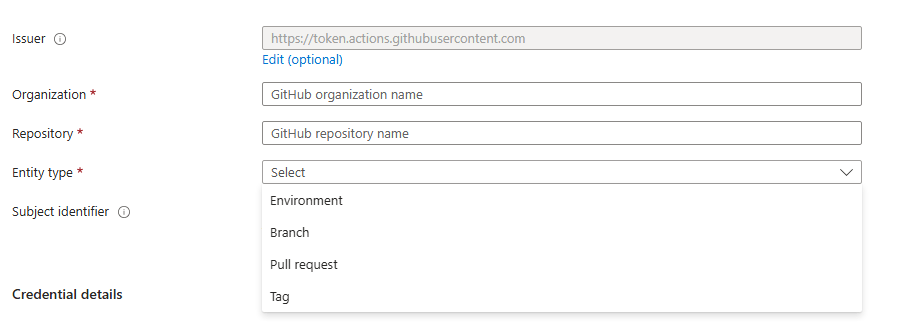
One option immediately caught my attention:
Pull Request
That made me wonder:
If the repository is public, can anyone create a pull request, trigger the workflow, and obtain an access token for the Azure application?
So I tried it.
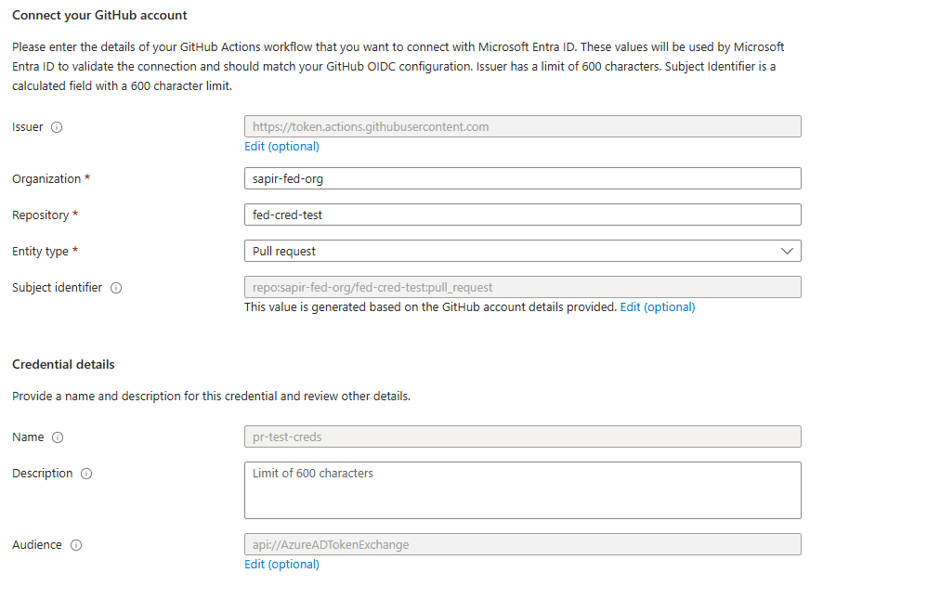
Now, I created a fork of my public repo from a different account, changed something, and created a PR.
On the PR side, i didn’t see anything related to the workflow, but from the repo owner side, i saw this message:
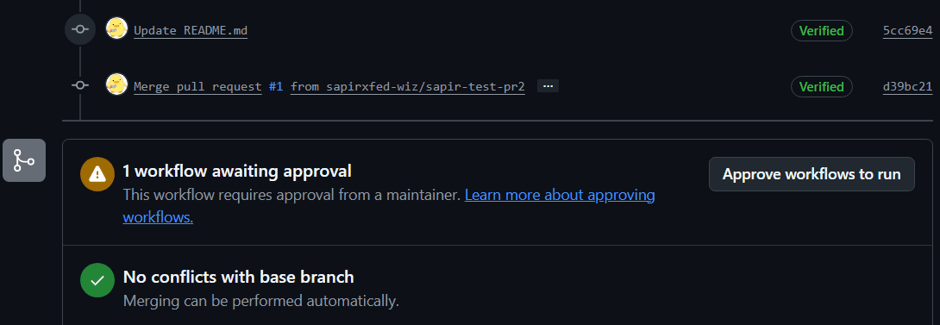
This can actually be misconfigured, in the GitHub setting: “Approval for running fork pull request workflows from contributors”
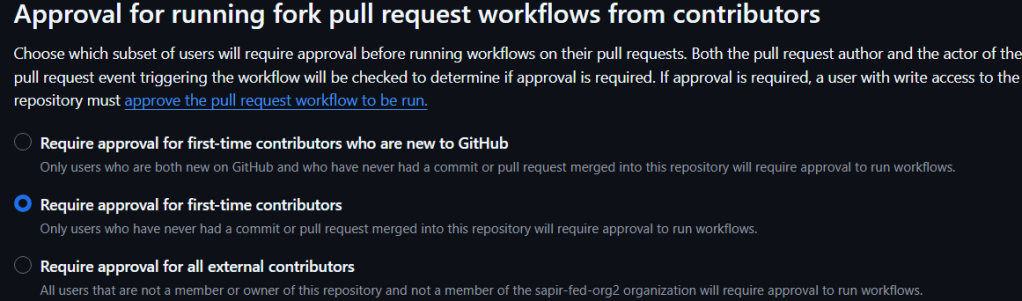
But, even when i approved the request, it still failed
I got this error: ACTIONS_ID_TOKEN_REQUEST_URL is empty
Remember this one? this is one of the 2 env verbs that are created automatically when you configure the “permissions: id-token: write”
We can see it since i printed the workflow logs:
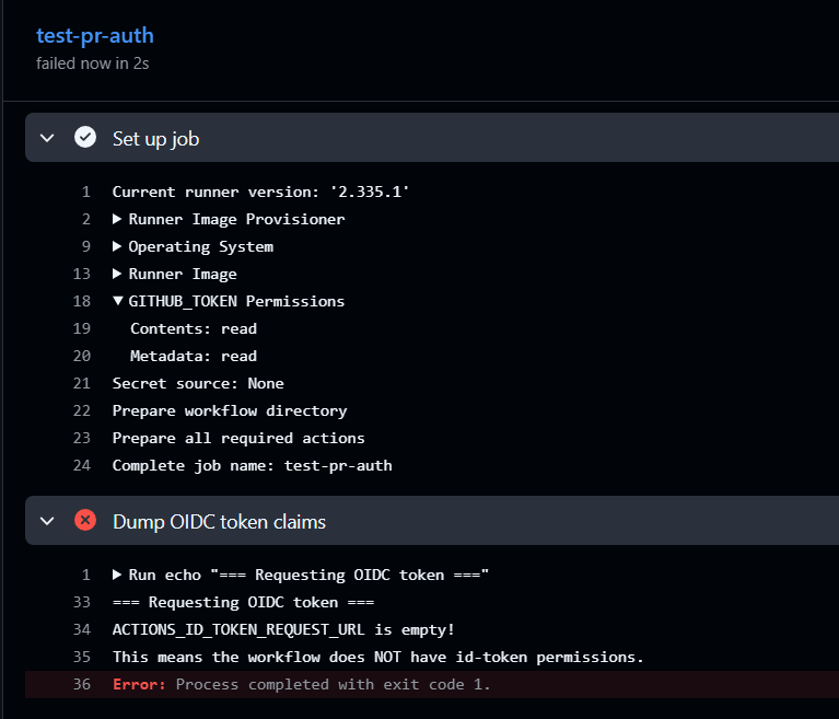
Even after making my organization settings as permissive as I could, the workflow still failed for the same reason.
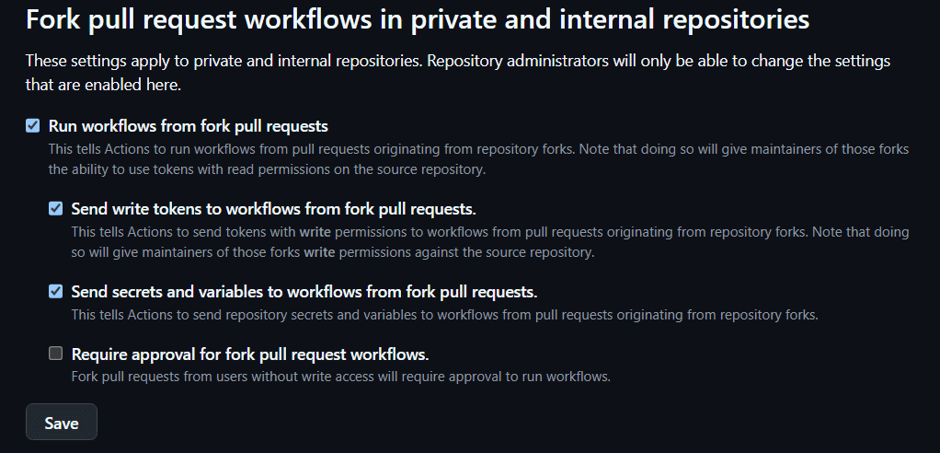
Looks like GitHub intentionally withholds OIDC tokens from these workflows.
Good for us. 🙂
Q3 – Can an organization name be reused?
One last thing I wanted to test.
Notice that the Entra configuration only asks us for:
- Organization name
- Repository name
I couldn’t see any immutable GitHub identifier being configured.
That made me wonder:
What happens if an organization is deleted?
Could someone recreate an organization with the same name, create the expected repository, and suddenly satisfy the federation configuration?
To test this, I deleted my organization, waited more than 24 hours, and tried creating another organization with the exact same name.
The name was still reserved.
So at least for now, I couldn’t continue testing this scenario.
Q4 – Can public workflow logs leak sensitive information?
While testing everything from a different GitHub account, I noticed something interesting.
Even though I couldn’t trigger the workflow myself or obtain an OIDC token, I could view the logs from previous workflow runs on the public repository.
In my case, the workflow printed the output of the Graph query, which included users from my Entra tenant.
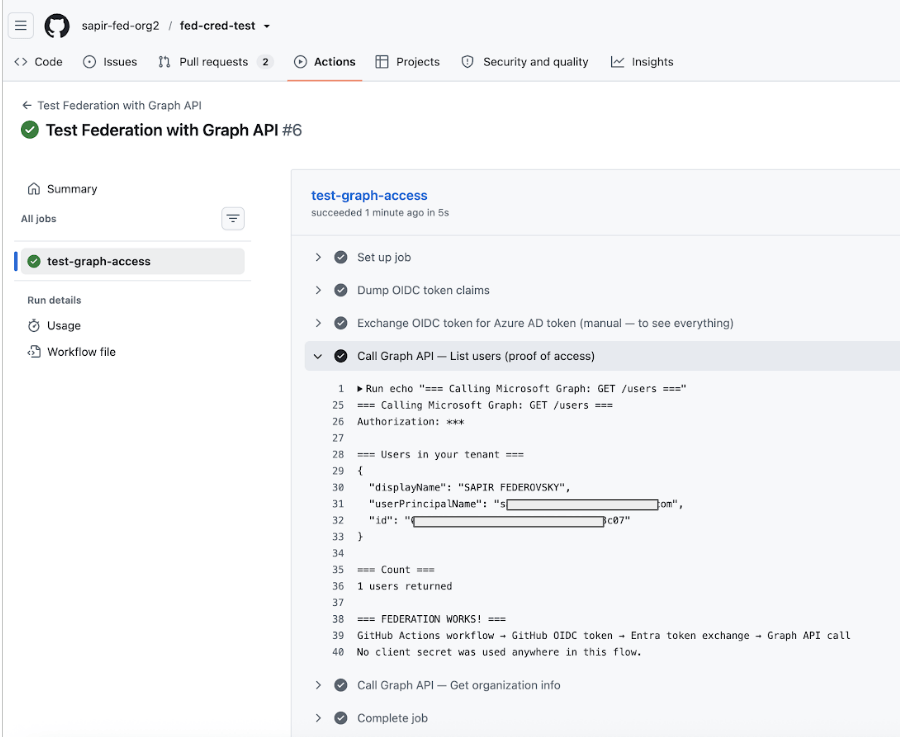
Nothing security-sensitive was being used for authentication, but the workflow itself was happily printing data that anyone visiting the repository could read.
GitHub did a good job protecting the authentication flow by not exposing the OIDC token to untrusted workflows, but it can’t protect us from printing sensitive information ourselves.
So the next time you create a workflow in a public repository, remember that the logs might be public too.
Avoid printing:
- Access tokens (hopefully obvious 😅)
- User lists
- API responses
- Secrets or environment variables
- Any information you wouldn’t want anyone browsing your repository to see
In my case, I was only enumerating users as a proof of concept, but it was a good reminder that workflow logs are just as important as the workflow itself.
What did I learn?
After walking through the entire authentication flow and trying a couple of abuse scenarios, I was actually pleasantly surprised.
Azure requires an exact subject match, GitHub doesn’t expose OIDC tokens to untrusted pull request workflows, and organization names don’t appear to be immediately reusable.
Overall, GitHub Actions federation looks significantly safer than storing client secrets in GitHub repository secrets.
I also realized how many GitHub configuration options exist around Actions and OIDC. There are probably plenty of interesting scenarios left to explore, but at least based on these experiments, GitHub federation seems to have some solid security decisions built in.


Leave a comment